
Welcome to the first part in a series of posts in which I’ll go through the process I use to create my own fantasy baseball rankings. I’ll provide a link to download the rankings project (in Excel 2010 format) at each part of the series. Please ask questions in the comments below so others can benefit from your questions.
A few notes about the series:
- It was originally written before the 2013 MLB season. The screenshots and player references you see might refer to things from that time frame, but the same approach will work today.
- If you register as an SFBB Insider, you can receive all six parts in a free, tidy, and easy-to-use e-book
- Familiarity with Excel is recommended, but I do my best to explain all formulas and functions used
- Some of the formulas used in the series do not work in Excel for Mac computers. I apologize for this. I don’t understand why Excel isn’t built to operate the same on that platform.
In this first part of the series we’ll set up a new Excel file, download projection data, and do some basic formatting to make the file presentable.
Step-by-Step Instructions
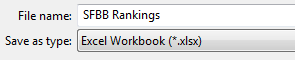
- To start, create and save a new Excel file for this project.
- You could always pay for rankings or projections. But this is a “DIY” project with the goal being to build your own rankings and not spend money in the process. Fangraphs offers a “Projections” section that includes a number of free projection systems for download. Choose your favorite projection system and use the link to “Export Data”.

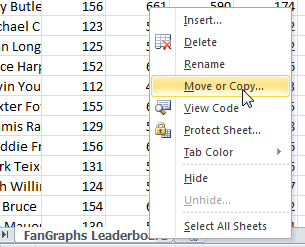
- The data downloads in CSV (comma separated value) format. Locate the downloaded CSV file and open it. It should open in Microsoft Excel. Once the file opens, right-click on the tab and select the option to “Move or Copy…”
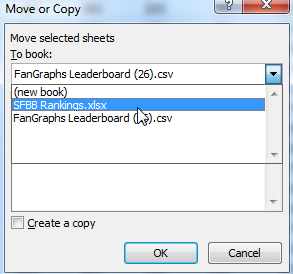
 When prompted, choose your Rankings Excel file (saved in step 1 above) from the drop down menu. Then hit “OK”.
- Any sheet downloaded from Fangraphs has the tab name “FanGraphs Leaderboard”. Right click on the spreadsheet to give it a more meaningful name (like Zips Hitters). Continue reading “Create Your Own Fantasy Baseball Rankings: Part 1 – Download Free Projection Data”